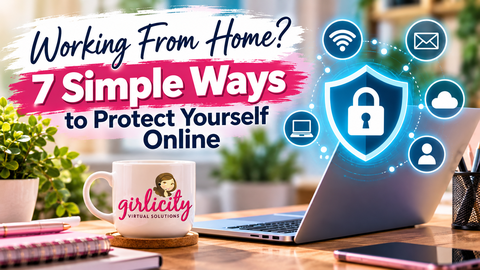
Working From Home? 7 Simple Ways to Protect Yourself Online
Working from home offers flexibility and convenience, but it also comes with responsibilities—especially when it comes to protecting your computer, accounts, and personal information.
October is Cybersecurity Awareness Month, making it the perfect time to review the small habits that can help keep you safe online. Whether you’re a seasoned remote professional or just getting started, a few simple precautions can make a big difference.
1. Use Strong, Unique Passwords
Using the same password across multiple accounts can put several accounts at risk if one is compromised. Create unique passwords for your work accounts, email, and other important services. A reputable password manager can help you keep track of them securely.
2. Enable Multifactor Authentication
Whenever it’s available, enable multifactor authentication (MFA). This adds another layer of protection by requiring an additional verification step when you sign in.
Even if someone obtains your password, MFA can make it harder for them to access your account.
3. Keep Your Computer Updated
Software updates aren’t just about new features. They often include important security fixes.
Install approved operating system and browser updates promptly, and follow your program’s requirements for maintaining your computer. If you use a work computer, check with your support team before installing unfamiliar software.
4. Watch Out for Phishing Attempts
Scam emails and messages can look surprisingly legitimate. Be cautious of messages that:
- Create urgency or threaten account suspension.
- Ask you to provide passwords or verification codes.
- Contain unexpected attachments or suspicious links.
- Request payments or sensitive information.
When in doubt, verify the request through an official channel rather than clicking a link in the message.
5. Secure Your Home Network
Change default router passwords, use a strong Wi-Fi password, and keep your router’s firmware updated when updates are available.
Avoid using public Wi-Fi for work unless your organization explicitly permits it and provides approved security measures. Follow all client and platform requirements for connecting to work systems.
6. Protect Confidential Information
Remote work requires the same care with sensitive information as working in a traditional office.
Keep work screens away from visitors, avoid discussing confidential information where others can overhear, and never share login credentials. Follow your program’s rules for handling customer information, taking screenshots, and storing files.
7. Report Problems Promptly
If you notice an unfamiliar login, suspicious message, unexpected system behavior, or possible security incident, don’t ignore it.
Follow your organization’s reporting procedures as soon as possible. Reporting a concern early can help prevent a small issue from becoming a bigger problem.
Make Online Safety Part of Your Routine
Cybersecurity doesn’t have to be complicated. Strong passwords, careful browsing, regular updates, and responsible handling of information can help protect both you and the people you serve.
At Girlicity, we encourage our agents to stay informed, follow their program’s security requirements, and make safe online habits part of their everyday work routine.
A few seconds of caution today can help prevent a much bigger problem tomorrow.
Stay informed. Stay alert. Stay secure.
💜 Interested in Becoming a Girlicity Agent?
Girlicity helps connect motivated agents with remote customer service opportunities.
If you are interested in working from home and servicing client programs through Arise, we would love to help guide you through the process.
👉 Visit our contact page to learn more about getting started.
Join Girlicity Today: girlicity.com/start
Contact Us: Click Here to Contact Us
Toll Fee: 844-754-2489